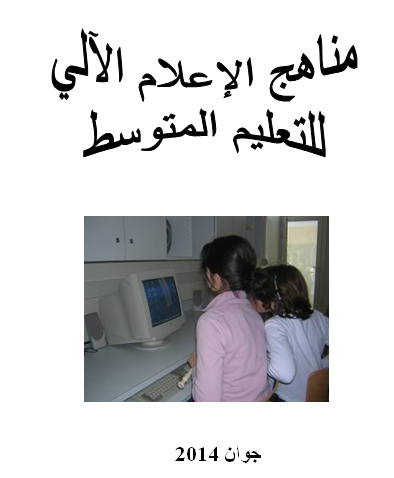
People's Democratic Republic of AlgeriaMinistry of National EducationDirectorate of Basic EducationJune 2014Index1- Introduction2- Learner Profile3- Conceptual areas of informatics in middle education4- Final competencies5- Interim competencies6- Distribution of the hourly volume over conceptual fields7- Informatics programs for the first, second, and third years And the fourth is average.1- Introduction:Today’s world has changed and is filled with a knowledge explosion accompanying a scientific and technological revolution. This change has led to our society being connected to a rapidly changing world and facing local challenges (different students, different means, 21st century skills...) and global challenges (the knowledge explosion, technological development, speed of communication and transportation...) which has reduced the world to a small village, making it necessary for us to keep pace with this by developing thinking mindsets capable of solving problems in a way Creative. Multimedia information technology is considered one of the products of contemporary scientific and technical progress, which have become pillars that control this progress. It has become a leading position in the educational and learning process. The rational use of these media in the right place and the right time - inside and outside the department - leads to training in the optimal use of this technology in order to achieve mastery of the scientific skills and facts, prescribed in the study programs, in less time and with positive, constructive trends. Modifying informatics programs for the purpose of modernization and improvement has become a necessary matter that has a direct relationship to the ongoing transformations in information technology in accordance with proper care and what is imposed by the approved approach. From this standpoint, the Ministry of National Education began amending the informatics programs for the four years of middle education, where six (6) areas were approved, namely: Computer use, word processor, spreadsheets, presentations, networks and building projects. Knowing that the field of building projects has been included starting from the second year of middle school, it includes learning activities carried out using the Scratch program, which aims to develop the learner’s logical and mathematical thinking skills and enable him to acquire the initial principles of programming early. This modification has taken into account the gradual provision of concepts supported by applications that suit the learner at this stage. By integrating informatics as an educational subject and method in the intermediate education stage, we have aligned with the general objectives of the educational policy in Algeria in intermediate education, which emphasizes the introduction of developments in modern science and technology.
وزارة التربية الوطنية
مديرية التعليم الأساسي
جوان 2014
الفهرس
1- مقدمة
2- ملمح المتعلم
3- المجالات المفاهيمية لمادة المعلوماتية في التعليم المتوسط
4- الكفاءات الختامية
5- الكفاءات المرحلية
6- توزيع الحجم الساعي على المجالات المفاهيمية
7- برامج المعلوماتية للسنوات الأولى والثانية والثالثة والرابعة متوسط.
1- مقدمة:
تغير عالم اليوم وأصبح يزخر بانفجار معرفي مرافق لثورة علمية وتكنولوجية، وأدى هذا التغير إلى ارتباط مجتمعنا بعالم سريع التغيرات ومواجهة تحديات محلية (تلميذ مختلف، وسائل مختلفة ، مهارات القرن 21 ...) وتحديات عالمية (الانفجار المعرفي ، التطور التكنولوجي، سرعة الاتصال والمواصلات ...) مما جعل العالم يختزل في قرية صغيرة مما يتحتم علينا مواكبة ذلك بتنمية عقليات مفكرة قادرة على حل مشكلات بطريقة إبداعية.
وتعتبر الوسائط المتعددة للمعلوماتية من إفرازات التقدم العلمي والتقني المعاصر، والتي أصبحت دعائم تتحكم في هذا التقدم؛ حيث أصبحت تتبوأ مكانة رائدة في العملية التعليمية والتعلمية.
يؤدي الاستخدام العقلاني لهذه الوسائط في المكان المناسب والوقت المناسب –داخل القسم وخارجه- إلى التدرب على الاستخدام الأمثل لهذه التقنية من أجل الوصول إلى إتقان المهارات والحقائق العلمية، المقررة في البرامج الدراسية في وقت أقل وباتجاهات بناءة موجبة.
إن تعديل برامج المعلوماتية قصد التحيين والتحسين أصبح أمرا ضروريا له علاقة مباشرة بما هو جار من تحولات في تكنولوجيا المعلومات وفق رعاية سليمة وبما تفرضه المقاربة المعتمدة.
ومن هذا المنطلق شرعت وزارة التربية الوطنية في تعديل برامج المعلوماتية للسنوات الأربع من التعليم المتوسط، حيث تم اعتماد ستة (6) مجالات وهي استخدام الحاسوب، معالج النصوص، جداول البيانات، العروض التقديمية، الشبكات وبناء المشاريع.
مع العلم أنه تم إدراج مجال بناء المشاريع ابتداء من السنة الثانية متوسط، ويتضمن نشاطات تعلمية تنجز باستعمال برنامج̋ سكراتش̋ ، التي تهدف إلى تنمية مهارات التفكير المنطقي والرياضي لدى المتعلم وتمكينه من اكتساب المبادئ الأولية للبرمجة مبكرا.
وقد روعي في هذا التعديل التدرج في تقديم المفاهيم المدعمة بتطبيقات تناسب المتعلم في هذه المرحلة. وبإدماج المعلوماتية كمادة تعليمية ووسيلة في مرحلة التعليم المتوسط نكون قد سايرنا الأهداف العامة لسياسة التعليم في الجزائر في التعليم المتوسط والتي تؤكد الأخذ بمستجدات العلم والتقنية الحديثة.
2- ملمح المتعلم:
يتمكن المتعلم في نهاية مرحلة التعليم المتوسط من إنشاء أو استغلال وثيقة ومن عملية الاستعلام والحصول على التوثيق والبحث والاتصال باستعمال منتوج متعدد الوسائط.
3- المجالات المفاهيمية لمادة المعلوماتية في التعليم المتوسط:
There are various operating systems and multiple, rich programs that deal with the conceptual fields programmed in the educational curricula for informatics, and they can be obtained via the Internet for free and in their original language (here we mean the programming language, not the reading language). In all educational subjects. 4 - He learns the principles of sound logical thinking. Presentations. He learns the basics of building projects in a logical and easy way.6- Distribution of the hourly volume among the conceptual areas: Note: The academic year contains 28 weeks of actual study and 4 weeks for pedagogical treatment and evaluation.7- Informatics programs for the four years of education Intermediate: The hourly volume for the level Building projects Networks Presentations Data tables Wizard Texts Computer use Journals Articles Concepts Level Year Average Year Average Year Average Year Average Volume Hour Total First year Intermediate Scope Conceptual units Basic competencies Target knowledge Hourly volume Computer use (14 hours) General concepts Distinguish between various informatics terms (hardware and software) Definition of informatics Definition of computer Computer components4 hours Operating system Identify the operating system Learn how to use some of the programs installed in DeviceDefinition of the operating systemThe interface of the operating systemRunning peripheral programs: calculator, painter, notebook5 hoursOrganizing information in the computerAble to organize work in the computerThe concept of files and foldersDifferent methods of displayOperations on files and foldersThe unit of measurement of memory and its multiplesStorage media5 hoursWord processor(14 hours)Introduction Word processorRecognizes interface elementsDefining a word processorIntroducing interface elements2 hoursOperations on a documentAble to create and correct a documentCreate, save, close and open a documentWrite textUse a spell checkerSearch for a word and replace it4 hoursFormat font and paragraphLearn about types of fonts and how to use themRecognize the concept of Paragraph and its formattingFont formatting (size, font, style)Selecting a piece of text to change the formattingParagraph formatting (alignment, line spacing, indentation)Bullets and numberingWriting text in columns4 hoursPreparing and printing the documentAble to prepare and print a document
4- الكفاءات الختامية:
1 – يكتسب المتعلم مهارات معلوماتية حديثة .
2 – ينمي مهارات العمل الجماعي التعاوني.
3 – يتدرب على الاستعمال العقلاني للمعلوماتية في جميع المواد التعليمية.
4 – يتعلم مبادئ التفكير المنطقي السليم .
5 – يكتسب قاعدة سليمة تحضيرا لمرحلة التعليم الثانوي.
5- الكفاءات المرحلية:
- يتحكم في استعمال الحاسوب.
- ينشئ وثائق و يستغلها.
- يدخل بيانات حسابية ويمثلها.
- يستغل الشبكات في البحث عن المعلومات و ينوع مصادر التعلم.
- ينمي مهارة التواصل و العمل الجماعي.
- يقدم مشاريعه على شكل عروض.
- يتعلم أساسيات بناء المشاريع بأسلوب منطقي وميسر.
6- توزيع الحجم الساعي على المجالات المفاهيمية:
ملاحظة : تحتوي السنة الدراسية على 28 أسبوعا للدراسة الفعلية و 4 أسابيع للمعالجة البيداغوجية و التقويم.
7- برامج المعلوماتية للسنوات الأربع للتعليم
المتوسط:
|
الحجم الساعي للمستوى |
بناء المشاريع |
الشبكات |
العروض التقديمية |
جداول البيانات |
معالج النصوص |
استخدام الحاسوب |
المجالات المفاهيمية المستوى |
|
28 |
14 |
14 |
السنة 1 متوسط |
||||
|
28 |
8 |
6 |
14 |
السنة 2 متوسط |
|||
|
28 |
8 |
6 |
6 |
8 |
السنة 3 متوسط |
||
|
28 |
6 |
4 |
8 |
10 |
السنة 4 متوسط |
||
|
112 |
22 |
16 |
14 |
18 |
28 |
14 |
الحجم الساعي الإجمالي |
|
السنة الأولى متوسط |
||||
|
المجال |
الوحدات المفاهيمية |
الكفاءات القاعدية |
المعارف المستهدفة |
الحجم الساعي |
|
استخدام الحاسوب (14 سا) |
مفاهيم عامة |
يميّز بين مختلف مصطلحات المعلوماتية (العتاد والبرامج) |
تعريف المعلوماتية تعريف الحاسوب مكونات الحاسوب |
4 سا |
|
نظام التشغيل |
يتعرف على نظام التشغيل يتعلم طريقة استعمال بعض البرامج المثبتة في الجهاز |
تعريف نظام التشغيل واجهة نظام التشغيل تشغيل برامج ملحقة: الآلة الحاسبة، الرسام، الدفتر |
5 سا |
|
|
تنظيم المعلومات في الحاسوب |
يتمكن من تنظيم الأعمال في الحاسوب |
مفهوم الملفات و المجلدات مختلف طرق العرض عمليات على الملفات والمجلدات وحدة قياس الذاكرة ومضاعفاتها وسائط التخزين |
5 سا |
|
|
معالج النصوص (14 سا) |
تقديم معالج النصوص |
يتعرف على عناصر الواجهة |
تعريف معالج النصوصتقديم عناصر الواجهة |
2 سا |
|
عمليات على الوثيقة |
يتمكن من إنشاء وثيقة وتصحيحها |
إنشاء، حفظ ، إغلاق و فتح الوثيقةكتابة نصاستعمال المدقق الإملائيالبحث عن كلمة وتعويضها |
4 سا |
|
|
تنسيق الخط والفقرة |
يتعرف على أنواع الخطوط و كيفية استعمالها يتعرف على مفهوم الفقرة وتنسيقها |
تنسيق الخط (الحجم ، الخط ، النمط)تحديد جزء من نص لتغيير التنسيق تنسيق الفقرة (المحاذاة ، تباعد الأسطر ، المسافة البادئة)التعداد النقطي و الرقميكتابة النص على شكل أعمدة |
4 سا |
|
|
إعداد و طباعة الوثيقة |
يتمكن من إعداد وطباعة وثيقة |
Page preparation (margins, paper size, page orientation)Print preview, printing2 hoursDocument preparation projectRecruiting and integrating resources and acquisitionsCompleting a document2 hoursDirections:In this academic level, the professor considers the following:Working to show the physical components of the computer.Working with the available version of the operating system and application programs.Tackling the following storage media: disk Solid, compressed of all kinds, Flash... In the document preparation project, the student is asked to complete a work that integrates the acquired knowledge and print it. Directions: At this academic level, the professor takes into account the following: The professor begins in the field of word processing by reviewing previously studied concepts. In the field of “building projects,” he uses the Scratch program which helps in building and designing interactive stories, games, and animations, and also develops the ability to think sequentially and logically, which allows The learner has gradual and smooth access to the world of programming. Third year averageScopeConceptual unitsBasic competenciesTarget knowledgeHourly sizeSchedule(8 hours)Introducing the schedulerAdapting to the workbookDefining the scheduler, introducing the interfaceWriting on the worksheetSaving the workbook, closing and opening the workbookFormatting the writing4 SA Formulas Learns how to perform calculations Writing formulas Priorities of calculations Copying formulas4 SA Presentations (6 SA) Designing a presentation Able to design presentations that use text, images, and voice comments Defining presentation software Presenting the interface Inserting and formatting text Inserting an image Inserting sound And video Stages of moving between slides6 hoursNetworks(6 hours)Communication usingThe InternetLearns how to communicate with others by e-mailCreating e-mailSending and receiving messagesAttached file6 hoursBuilding projects (8 hours)Multimedia project 2Able to complete a multimedia project using softwareUse Sounds Adding sound from a file, adding an audio recording Pen Sensitivity feature 8 hours Directions: At this academic level, the professor takes into account the following: Employing a scheduler to ensure a horizontal connection between other materials. Employing a presentation program to complete research. Urging students to communicate by e-mail. Fourth year of average Field Conceptual units Competencies Basic knowledge Hourly size Scheduler (10 hours) Functions Can use familiar functions Automatic addition Insert functions Copy functions Use some simple functions 8 hours Layouts Can represent a table graphically Create a chart, change a layout 2 hours Presentations (8 hours) Movement and hyperlinks He coordinates within the slide using movement - exploits the hyperlink to move between slides using movement in presentations - hyperlink - projects (giving presentations by students)8 hours Networks (4 SA) Searching using the Internet leads to useful informationالمعاينة قبل الطباعة ، الطباعة |
2 سا |
|
|
مشروع إعداد وثيقة |
يجند ويدمج الموارد والمكتسبات |
إنجاز وثيقة |
2 سا |
|
توجيهات:
في هذا المستوى الدراسي يراعي الأستاذ ما يلي :
- · العمل على إظهار المكونات المادية للحاسوب.
- · العمل بالإصدار المتوفر لنظام التشغيل والبرامج التطبيقية.
- · التطرق لوسائط التخزين التالية: القرص الصلب، المضغوط بأنواعه، الفلاش...
- · في مشروع إعداد الوثيقة يطلب من التلميذ إنجاز عمل يدمج فيه المعارف المكتسبة وطباعته.
توجيهات:
في هذا المستوى الدراسي يراعي الأستاذ ما يلي :
- · يبدأ الأستاذ مجال معالجة النصوص بمراجعة المفاهيم المدروسة سابقا.
- · في المجال " بناء المشاريع " يستعمل برنامج سكراتش Scratch الذي يساعد على بناء وتصميم القصص التفاعلية والألعاب والرسوم المتحركة، كما ينمى القدرة على التفكير المتسلسل و المنطقي، مما يسمح للمتعلم الولوج التدريجي و السلس في عالم البرمجة.
|
السنة الثالثة متوسط |
||||
|
المجال |
الوحدات المفاهيمية |
الكفاءات القاعدية |
المعارف المستهدفة |
الحجم الساعي |
|
المجدول (8 سا) |
تقديم المجدول |
يتأقلم مع المصنف |
تعريف المجدول ، تقديم الواجهةالكتابة على ورقة العملحفظ المصنف، إغلاق و فتح المصنفتنسيق الكتابة |
4 سا |
|
الصيغ |
يتعرف على كيفية إنجاز الحسابات
|
كتابة الصيغأولويات العمليات الحسابيةنسخ الصيغ |
4 سا |
|
|
العروض التقديمية (6 سا) |
تصميم عرض تقديمي |
يتمكن من تصميم عروض يستعمل فيها النص و الصورة والتعليقات الصوتية |
تعريف برنامج العروض التقديمية تقديم الواجهة إدراج وتنسيق نص |
6 سا |
|
الشبكات (6 سا) |
التواصل باستعمال الإنترنت |
يتعلم كيفية التواصل مع الآخرين بواسطة البريد الالكتروني |
إنشاء بريد إلكتروني إرسال و استقبال الرسائل ملف مرفق |
6 سا |
|
بناء المشاريع (8سا) |
مشروع متعدد الوسائط 2 |
يتمكن من إنجاز مشروع متعدد الوسائط باستعمال برمجية Scratch |
استخدام الأصواتإضافة صوت من ملف، إضافة تسجيل صوتي القلمخاصية التحسس |
8 سا |
توجيهات:
في هذا المستوى الدراسي يراعي الأستاذ ما يلي :
- · توظيف المجدول لضمان الارتباط الأفقي بين المواد الأخرى.
- · توظيف برنامج العروض التقديمية لإنجاز البحوث.
- · حث التلاميذ على التواصل بواسطة البريد الإلكتروني.
|
السنة الرابعة متوسط |
||||
|
المجال |
الوحدات المفاهيمية |
الكفاءات القاعدية |
المعارف المستهدفة |
الحجم الساعي |
|
المجدول (10سا) |
الدوال |
يتمكن من استعمال الدوال المألوفة |
الجمع التلقائيإدراج الدوالنسخ الدوالاستعمال بعض الدوال البسيطة |
8 سا |
|
التخطيطات |
يتمكن من تمثيل جدول بيانيا |
إنشاء تخطيط، تغيير تخطيط |
2 سا |
|
|
العروض التقديمية (8سا) |
الحركة والارتباطات التشعبية |
يقوم بالتنسيق داخل الشريحة باستعمال الحركة - يستغل الارتباط التشعبي للانتقال بين الشرائح |
استخدام الحركة في العروض التقديمية |
8 سا |
|
الشبكات (4 سا) |
البحث باستعمال الانترنت |
يصل إلى المعلومة المفيدة |
Search engines, search methodsSave the WEB page, print the WEB pageSave imagesUpload files4 hoursBuild projects (6 hours)Multimedia project 3Able to complete a multimedia project using softwareControlVariablesProcesses6 hoursDirections:At this academic level, the professor takes into account the following:The professor begins my scheduled field. And presentations by reviewing previously studied concepts. Employing a scheduler to ensure a horizontal connection between other subjects. Employing presentation software to complete research. Appendix on building projects. Introduction We live today in an environment dominated by technology. From game players to computers to mobile phones, we remain mere consumers. Therefore, we must raise our children and train them to become creators and producers of modern technology. Do we teach them algorithms? And programming is in the early beginnings of their learning. Are they able to comprehend mathematical logic and programming tools even though it is not their mother tongue? Who among us does not aspire to see our children playing games and using locally made devices and software that demonstrate the constants of the nation, the originality of society, and the pinnacle of technology? Indeed, who among us does not dream of a young generation that designs games and applications in their early learning years? This matter has become possible today, as programming enthusiasts, even very young ones, can enter this world that was previously limited to those skilled in codes, keywords, constants, and variables thanks to the “Scratch” program. What is the “Scratch” language? The Scratch language is a graphical programming language that allows its users to produce animations Stories, interactive games, and the use of multimedia. The Scratch language relies on programming with blocks (blocs), which can be assembled to form code clips. Why build projects?? Removing barriers between children and complex programming concepts is only achieved by building projects because children’s minds do not comprehend these concepts in the early stages, but rather repel them. Building a project leads the child to integrate into programming in a way of thinking without knowing it. Whenever simple and fun tools are available to the child, the more It made it easy for him to build the project, and even if he faced a problem, he would break it down into simpler and smaller problems to finally arrive at a solution to the main problem. Why: Choose a language: “Scratch”? Educational.The graphical nature of this language increases the student’s interest in using it. To create a software clip, all he has to do is assemble the blocks as if he were playing a game of assembling the pieces to get a complete picture (Puzzle).Develops the skill of imagination, planning, design, and implementation.Develops the faculty of creativity and the skills of analysis and solving various problems. حفظ الصفحة WEB، طباعة الصفحة WEB حفظ الصور تحميل الملفات |
4 سا |
|
بناء المشاريع (6ساعات) |
مشروع متعدد الوسائط 3 |
يتمكن من إنجاز مشروع متعدد الوسائط باستعمال برمجية Scratch |
التحكمالمتغيراتالعمليات |
6 سا |
توجيهات:
في هذا المستوى الدراسي يراعي الأستاذ ما يلي :
- يبدأ الأستاذ مجالي المجدول و العروض التقديمية بمراجعة المفاهيم المدروسة سابقا.
- · توظيف المجدول لضمان الارتباط الأفقي بين المواد الأخرى.
- توظيف برنامج العروض التقديمية لإنجاز البحوث.
ملحق حول بناء المشاريع
تمهيد
نعيش اليوم في محيط تطغى عليه التكنولوجيا، فمن مشغلات الألعاب إلى الحواسيب مرورا بالهواتف المحمولة، نبقى مجرد مستهلكين، لذا ينبغي علينا تربية أبنائنا وتدريبهم ليصبحوا مبدعين ومنتجين للتكنولوجيا الحديثة، فهل نعلمهم الخوارزميات والبرمجة في البدايات الأولى لتعلماتهم وهل هم قادرون على استيعاب المنطق الرياضي و أدوات البرمجة وهي ليست بلغتهم الأم؟
من منا لا يطمح لروية أبنائه يلعبون لعبا ويستعملون أجهزة وبرمجيات محلية الصنع تظهر فيها ثوابت الأمة وأصالة المجتمع وقمة التكنولوجيا؟ بل من منا لا يحلم بجيل فتي يصمم لعبا وتطبيقات في سنوات تعلمه المبكرة؟
إن هذا الأمر أصبح اليوم متاحا، فبإمكان هواة البرمجة وحتى صغار السن منهم ولوج هذا العالم الذي كان من قبل مقتصرا على متمرسي الأكواد والكلمات المفتاحية والثوابت والمتغيرات بفضل برنامج "سكراتش".
ما هي لغة "سكراتش"
لغة سكراتش هي لغة برمجة رسومية تتيح لمستخدميها إنتاج الرسوم المتحركة، القصص والألعاب التفاعلية وتوظيف الوسائط المتعددة.
تعتمد لغة سكراتش على البرمجة باللبنات (blocs) حيث يمكن تجميعها لتشكل مقاطع برمجية.
لماذا بناء المشاريع؟
إن إزالة الحواجز بين الأطفال وبين مفاهيم البرمجة المعقدة لا تتحقق إلا ببناء المشاريع لأن عقول الأطفال لا تستوعب في المراحل الأولى هذه المفاهيم بل تنفر منها.
إن بناء مشروع يؤدي بالطفل إلى الاندماج في البرمجة بطريقة تفكير دون أن يدري.
كلما توفرت للطفل أدوات بسيطة و ممتعة إلا و سهل عليه بناء المشروع وحتى إذا واجهته مشكلة ما فسيفككها إلى مشكلات أبسط وأصغر ليصل في النهاية إلى حل المشكلة الرئيسية.
لماذا اختيار لغة "سكراتش"؟
إن اختيار لغة سكراتش لبناء المشاريع لتلاميذ مرحلة التعليم المتوسط مبني على عوامل عدة أهمها :
- برنامج سكراتش متوفر مجانا إذ يمكن تحميل نسخة منه وتنصيبها على الجهاز كما يمكن العمل عليه مباشرة في الموقع الرسمي.
- البرنامج يدعم اللغة العربية التي هي لغة التدريس في منظومتنا التربوية.
- الطبيعة الرسومية لهذه اللغة تزيد التلميذ تشويقا لاستخدامها. فلإنشاء مقطع برمجي ما عليه إلا أن يقوم بتجميع لبنات وكأنه يلعب لعبة تجميع القطع للحصول على صورة مكتملة (Puzzle).
- تنمي مهارة التخيل والتخطيط والتصميم والتنفيذ.
- تنمي ملكة الإبداع ومهارات التحليل وحل المشكلات المختلفة.
- It allows the student to focus on what he wants to do more than on how he will do it. Develops logical and mathematical thinking skills. Develops teamwork and communication skills with others. The student can send his projects to the official website for others to benefit from. He can also download projects on the site and benefit from them by using or modifying them. The child’s early acquisition of thinking skills and programming philosophy makes him inevitably creative in the future. Development of Scratch The Scratch language was developed by a group Lifelong Kindergarten was located in the Media Laboratory at the Massachusetts Institute of Technology (MIT) beginning in 2007 with financial support from the National Science Foundation (NSF), Microsoft, the Intel Foundation, and Nokia. The program was Arabized by a team at the College of Information Technology at the United Arab Emirates University in cooperation with a group of specialists in the Syrian Informatics Olympiad with support from the Emirates Foundation for Social Good. Building a project using Scratch After installing and running the program, the following interface appears to us: The most important thing in The Scratch project is about dealing with objects. It can: Change the shape of an object by giving it a different appearance. Command the object to move in a certain direction, slide, change position, bounce when reaching the edge, change color, change size, show phrases on the screen, make sounds, in response to other objects... Insert existing objects or draw a new object... Sense a color, feel another object, feel the pressed button... Use the pen and draw shapes. Different...Inserting variables and controlling them...Controlling audio and video...etc...It can be downloaded from Here
- تنمي مهارات التفكير المنطقي والرياضي.
- تنمي مهارات العمل الجماعي والتواصل مع الآخرين فإمكان التلميذ إرسال مشاريعه إلى الموقع الرسمي ليستفيد منها الآخرون كما يمكنه تنزيل المشاريع الموجودة بالموقع والاستفادة منها باستعمالها أو بتعديلها.
إن اكتساب الطفل مهارات التفكير وفلسفة البرمجة مبكرا يجعله حتما مبدعا مستقبلا.
تطوير سكراتش
تم تطوير لغة سكراتش من طرف مجموعة Lifelong Kindergarten في مخبر الوسائط بمعهد ماساتشوستس للتقانة MIT بداية من سنة 2007 بدعم مادي من مؤسسة العلوم الوطنية NSF و مايكروسوفت و مؤسسة إنتل و نوكيا، وتم تعريب البرنامج من طرف فريق بكلية تقنية المعلومات في جامعة الإمارات العربية المتحدة بالتعاون مع مجموعة من المتخصصين في الأولمبياد المعلوماتي السوري بدعم من مؤسسة الإمارات للنفع الاجتماعي.
بناء مشروع باستعمال سكراتش
بعد تنصيب البرنامج وتشغيله،
تظهر لنا الواجهة التالية:
أهم شيء في مشروع سكراتش هو التعامل مع الكائنات، فيمكن:
- تغيير شكل كائن ما بإعطائه مظهرا مختلفا
- توجيه أوامر للكائن بالتحرك باتجاه ما، الإنزلاق، تغيير الموضع، الإرتداد عند الوصول إلى الحافة، تغيير اللون، تغيير الحجم، إظهار عبارات على الشاشة، إصدار أصوات، استجابة لكائنات أخرى ...
- إدراج كائنات موجودة أو رسم كائن جديد...
- تحسس لون، تحسس كائن آخر، تحسس الزر المضغوط...
- استعمال القلم ورسم أشكال مختلفة...
- إدراج متغيرات والتحكم بها...
- التحكم بالصوت والصورة...
- إلخ...
- ·
- يمكن تحميله من هنا

📚 Related articles